A few weeks ago, I decided to build a "Write Box" - a distraction free writing environment that would allow me to write...well, without distractions. Inspired by George R. R. Martin's distraction-free writing setup, I wanted something that would feel cozy and nostalgic (from the perspective of someone born in the 80's and who grew up in the 90's), but also be functional and keep me focused.
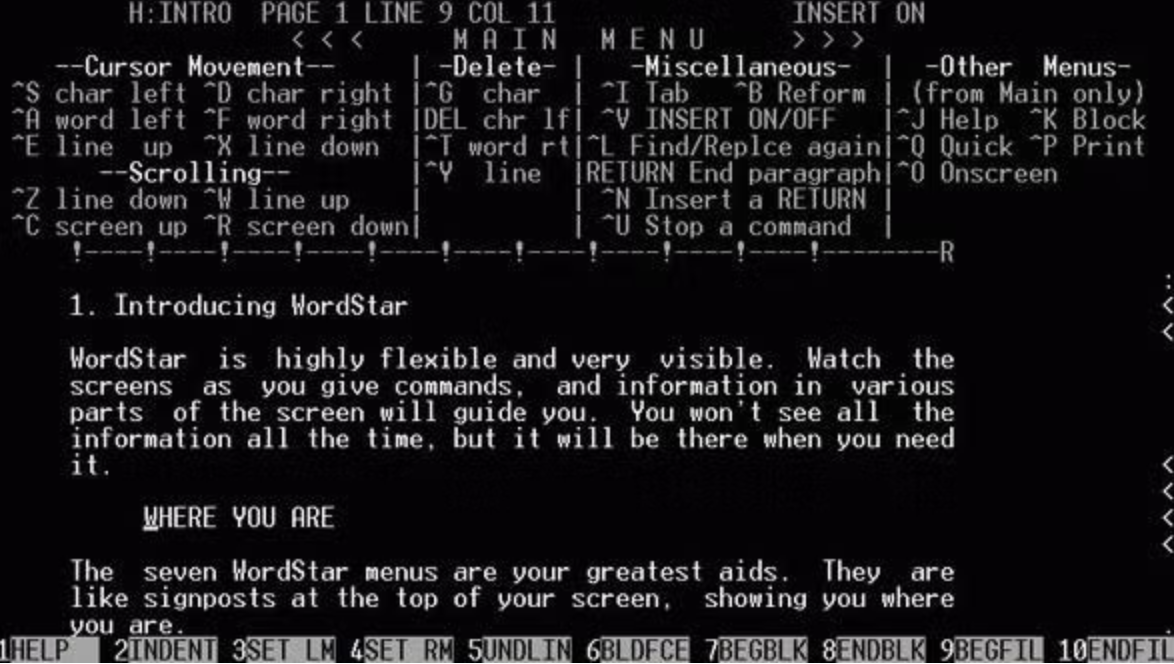
WordStar 4.0, used by George R. R. Martin in his MS-DOS Write Box setup
Since I strongly feel that writing and revising should be separate parts of my writing process, I wanted the Write Box to be a place where I could write without the temptation to edit or revise. I wanted it to feel different from the place I revise. I settled on the idea of a write box with a retro feel.
However, since my main laptop is all I have right now and I don't have space in my apartment currently for a dedicated machine, I decided to create my retro write box on a virtual machine on my Macbook Air laptop. (For those who may not know, a virtual machine is a fancy work for an independently bootable operating system running on top of your existing system.) Having the write box as a VM allows me to have a separate "space" for writing that feels distinctly different from my regular work environment, which is full of distractions.
I started out trying to directly emulate George R. R. Martin's setup, installing the latest MS-DOS 6.22 in a VM using UTM. It worked, but I quickly found that I wanted more control over the boot feel and the writing environment, so I switched to a stripped down version of Alpine Linux running the micro text editor. My first attempt can be seen below:

My initial Write Box attempt, using Alpine Linux and the micro text editor
It supported switching themes and had a simple text editor, but it didn't have the right "feel" for me.

The custom themes generated using Anthropic's Claude Sonnet 4.6
It felt too limited with the themes I could create, and somehow didn't evoke the retro vibe I remembered from the late 80's and early 90's CRT screens.

A Commodore 64-inspired theme created for the initial Write Box attempt
I wanted something that would feel more like a "box" that I could step into and be transported to a different time and place. After a bit of searching, I found an open-source project called cool-retro-term that emulates the look and feel of old CRT monitors, complete with flickering and scanlines. Turns out, this is exactly the vibe I was going for.
I installed it on my Alpine Linux VM, configured Alpine to boot into cool-retro-term, and even set up my own custom themes as well.

The new Write Box setup using cool-retro-term, with "Default Amber" theme

The theme picker in cool-retro-term, showing the custom themes I created

The new Write Box setup using cool-retro-term, with better "Commodore 64" theme
After settling on this setup, I added adding a few workflow-related niceties. First, I mounted a shared folder so my writing can be shared between the VM and the host machine (my MacBook Air).
Second, I wrapped micro in a helper script that automatically computes the number of words before and after editing a file with micro so the difference can be logged to a file for tracking my daily word count.

Output of my writing log, generated by a helper script wrapping micro
All in all, the Write Box has a very nice retro vibe, I think. It may end up being a lot of work for nothing if I don't use it, but I thought I would share the process of building it.
As always in writing, the writing is what counts.